

Keep claims grounded.
Use supported product facts. Avoid invented benefits, medical advice and unsupported treatment claims.
PhraSEO AI / Product content automation
You add the product.
PhraSEO AI does the writing.
From product research and relevant keywords to a clear title and structured description, delivered to your catalogue workflow with a results email for your team.
Product content automation by Dexly Inc.
See one way PhraSEO AI fits into an e-commerce workflow.
Choose an example and run the walkthrough.
PhraSEO AI works beyond Shopify. This interactive simulation uses Shopify and fictional products to show one possible workflow. Your content and integration follow your platform, product information and category rules.
Content focus: Specifications, connections and device compatibility.
Fictional product specifications supplied for this example. The draft shows the starting copy; the generated description also uses these details.
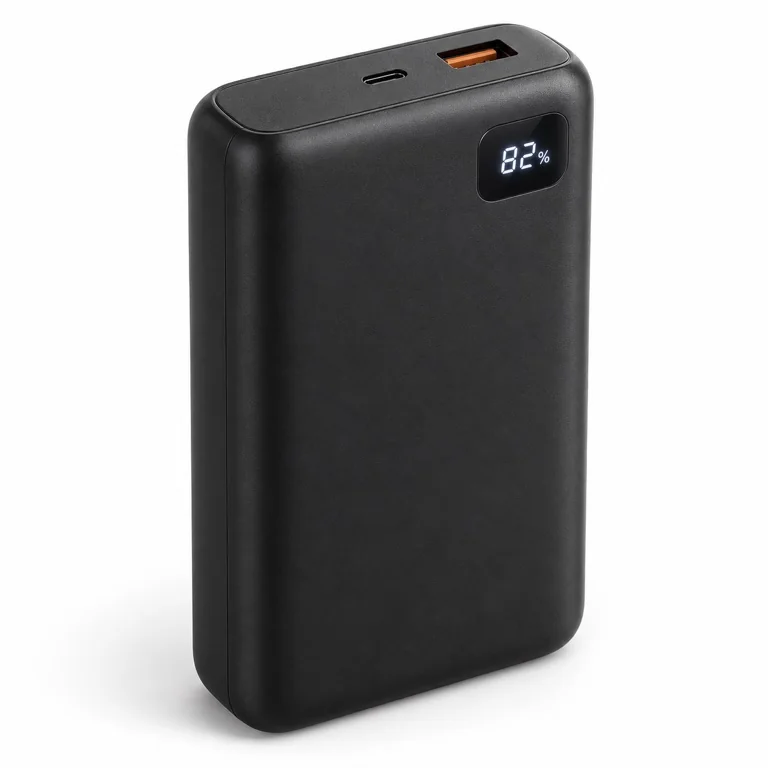
20,000 mAh power bank. Black. USB-C. 20 W.
A search listing preview appears here when your product content is ready.
Page title (Meta title / SEO)
Meta description (SEO)
Open product in Shopify (demo only)
You choose the workflow. Keep products as drafts for review, or enable automatic activation. The approved tag marks completion of content processing. A results email always goes to the store, with optional CC recipients.
What happens behind the scenes
Each product gets content shaped around what it is, what shoppers need to know and your store’s requirements.
Use the available product details and relevant sources to understand the category, features and useful distinctions.
Identify how people search for this kind of product. Use relevant wording naturally in the title and description.
Write a clear introduction, useful headings and product details. Add SEO metadata when it is enabled for your store.
Review against product inputs and category rules, then update your catalogue. Apply the settings agreed for your workflow and email the results to your team.
Care for sensitive categories
Medicine and healthcare content needs extra care. We configure the workflow around your category and approved product information, with qualified review before publication where needed.
Use supported product facts. Avoid invented benefits, medical advice and unsupported treatment claims.
Shape the structure, terminology and content checks around the product category and your store’s requirements.
Keep drafts for your team to review, or enable automatic activation where appropriate. If activation is enabled, the results email arrives after activation.
From the demo to real catalogues
PhraSEO AI has generated 10k+ product-description outputs across client applications.
Explore how Dexly Inc. applies product inputs, category rules and content review for Symington Pharmacy and Kibernetiki. The examples in this demo are fictional; the case study explains the client work.
Read the PhraSEO AI case study
Before you start
A few things to know about PhraSEO AI.
No. Shopify is the example shown in this demo. We adapt product-content workflows to your platform and catalogue requirements. Let’s discuss the integration your business needs.
No. This is an interactive simulation using fictional product briefs and prepared sample outputs. It does not connect to Shopify, generate live AI content, publish products or send email.
No. The seven examples show different content needs. We configure the workflow around your products, source information, language and category rules.
Yes. Keep automatic activation off to retain drafts for review. The store receives a results email, with optional CC recipients. Automatic activation is a separate setting.
No. Useful content, accurate source data and appropriate review remain essential. Search visibility, Merchant Center eligibility and healthcare requirements depend on the product and market.
Let’s put your catalogue to work
Tell us about your store, your product catalogue and the work you want to take off your team’s hands.
A workflow configured around your business, by Dexly Inc.